



Let’s Encrypt with Cert Warden
Let’s Encrypt with Cert Warden
Let’s Encrypt with Cert Warden (DNS-01 challenge)
Cert Warden is a self hosted certificate manager that orders and renews Let’s Encrypt certificates and distributes them to your servers. With the two scripts below, Cert Warden performs the validation through our DNS API, that is through the DNS-01 challenge. This works without an open port 80, for systems that cannot be reached from the internet at all, and for wildcard certificates such as *.yourdomain.ch.
Requirements
- The domain must point to our nameservers, so the DNS zone is hosted at FireStorm
- API access enabled in the customer area (
admin.firestorm.ch=> Account => Customer profile) - A running Cert Warden installation, usually as a Docker container
curlmust be available inside the container.jqis used when present, but is not required
1. Create an API key
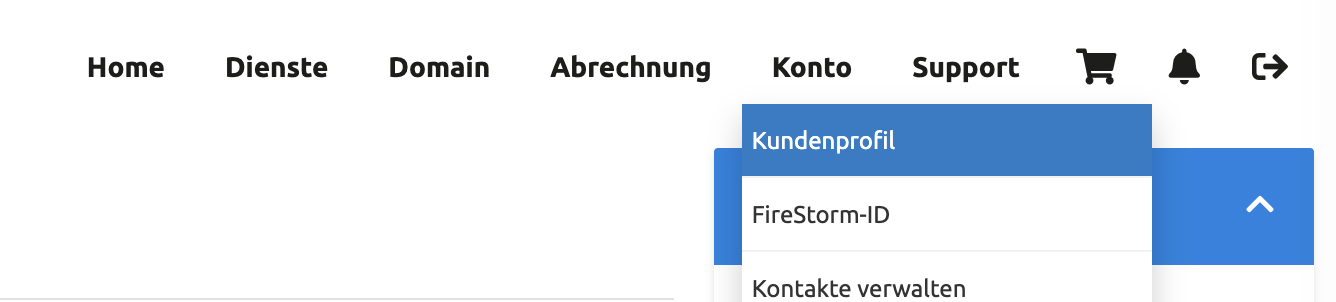
Log in to the customer area and open Account => Customer profile.
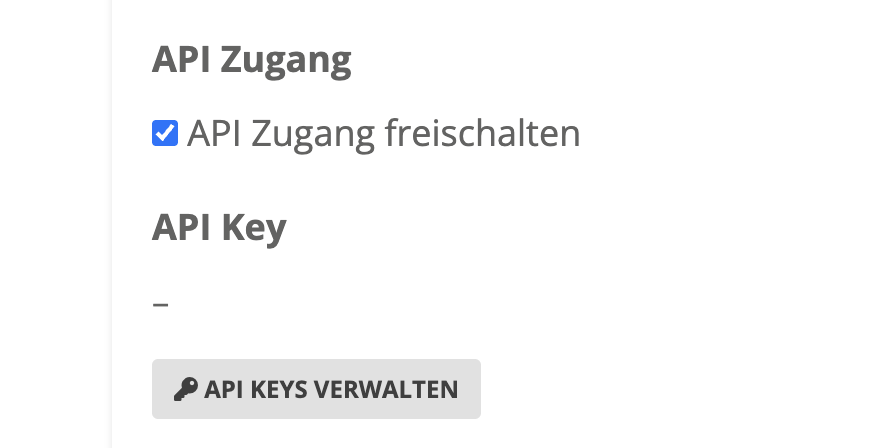
Tick API access and click MANAGE API KEYS.
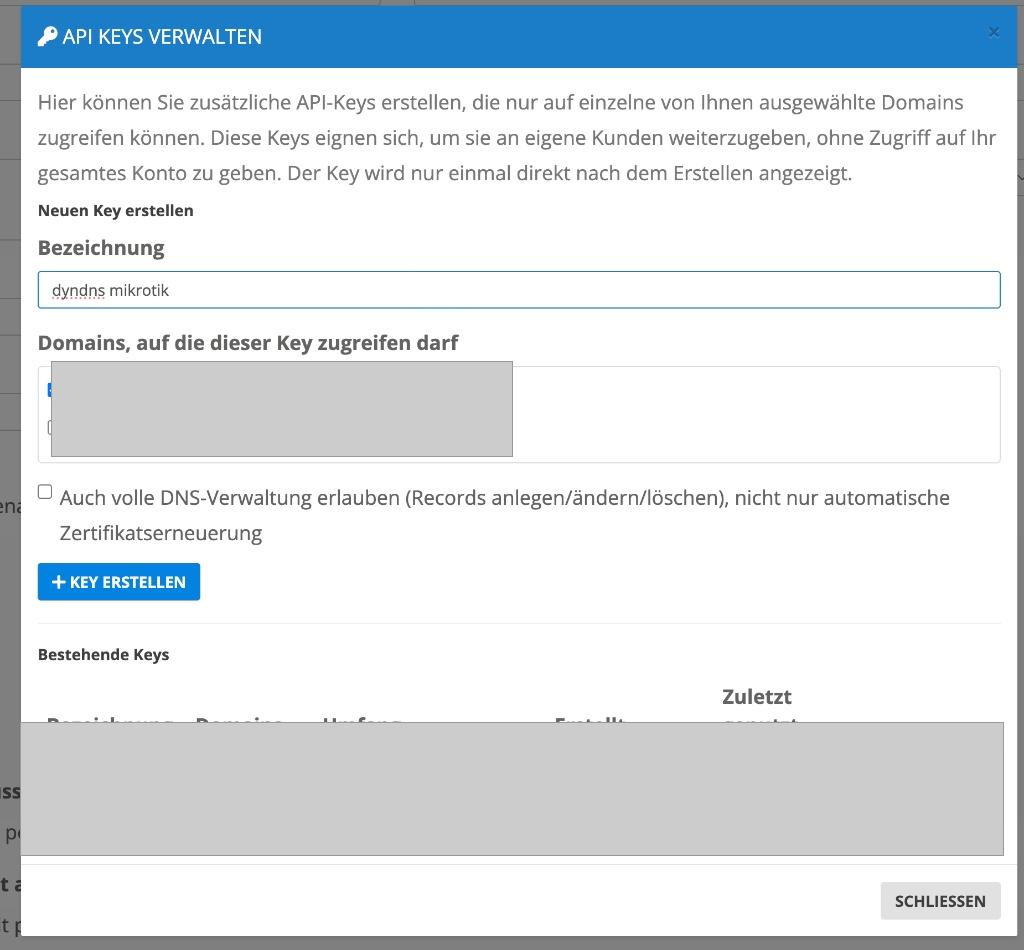
Create a new key:
- Label: for example
certwarden - Domains: select the domains concerned
- Also allow full DNS management: tick this box
Write down the API key. It is shown only once.
2. Install the scripts
Place both scripts on the persistent storage of your Cert Warden container, for example under /app/data/scripts/:
curl -o /app/data/scripts/firestorm_dns01_challenge_add.sh https://api.firestorm.ch/downloads/firestorm_dns01_challenge_add.txt
curl -o /app/data/scripts/firestorm_dns01_challenge_del.sh https://api.firestorm.ch/downloads/firestorm_dns01_challenge_del.txt
chmod 755 /app/data/scripts/firestorm_dns01_challenge_add.sh /app/data/scripts/firestorm_dns01_challenge_del.sh
If you download the files on a Windows machine, make sure they are saved with Unix line endings. Otherwise the container reports bad interpreter when the script starts.
3. Create the challenge provider in Cert Warden
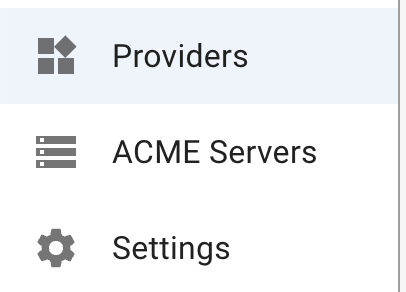
Open the Providers section in Cert Warden and create a New Challenge Provider.
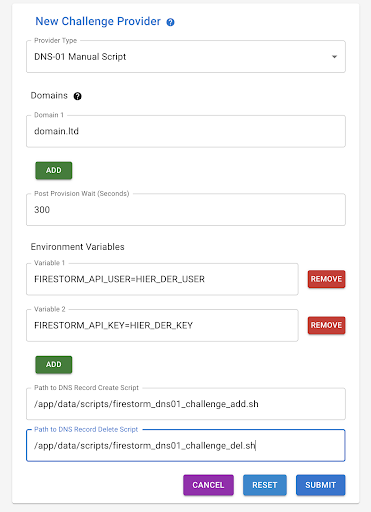
| Field | Value |
|---|---|
| Provider Type | DNS-01 Manual Script |
| Domains | Your domain, for example yourdomain.ch |
| Post Provision Wait | 300 |
| Environment Variables | FIRESTORM_API_KEY=YOUR-API-KEY |
| Path to DNS Record Create Script | /app/data/scripts/firestorm_dns01_challenge_add.sh |
| Path to DNS Record Delete Script | /app/data/scripts/firestorm_dns01_challenge_del.sh |
Save with SUBMIT. You can then order a certificate. Cert Warden sets the TXT record on its own and clears it away again after the validation.
Further settings
The scripts are controlled through environment variables. Only the API key is required, everything else is optional:
| Variable | Meaning |
|---|---|
FIRESTORM_API_KEY |
Your API key. The only mandatory entry |
FIRESTORM_ZONE_ID |
Fixed zone ID. If left empty, the script looks up the matching zone itself through the zone list. With a zone restricted key that may not see the zone list, enter the ID here |
FIRESTORM_TTL |
Lifetime of the TXT record, default 60 |
FIRESTORM_TIMEOUT |
Timeout for the API call in seconds, default 180 |
FIRESTORM_DEBUG |
1 writes requests and answers to the log, the key stays masked |
This call returns the zone ID:
curl -H "X-Api-Key: YOUR-API-KEY" https://api.firestorm.ch/dns/v1/zones
Testing by hand
Both scripts can be called directly, also from other ACME clients. A dry run changes nothing and only shows what would be sent:
FIRESTORM_API_KEY=YOUR-API-KEY ./firestorm_dns01_challenge_add.sh --dry-run "_acme-challenge.test.yourdomain.ch" "testvalue"
Without --dry-run the record is really set and removed again:
FIRESTORM_API_KEY=YOUR-API-KEY ./firestorm_dns01_challenge_add.sh "_acme-challenge.test.yourdomain.ch" "testvalue"
FIRESTORM_API_KEY=YOUR-API-KEY ./firestorm_dns01_challenge_del.sh "_acme-challenge.test.yourdomain.ch" "testvalue"
With --help the scripts print their full description.
Troubleshooting
Creating the record takes one to two minutes
That is intended. For challenge records our API waits until all of our nameservers know the value, and only then answers. So the script is not stuck, it is waiting.
«Authentication failed»
Check the API key and whether API access is enabled in the customer profile. After several failed attempts our protection blocks the IP address temporarily.
«Access denied»
The key is restricted to certain domains and the requested zone is not among them, or full DNS management was not allowed when the key was created.
«No matching zone found»
The domain does not exist as a zone in your account, or the key is not allowed to see it. In that case set FIRESTORM_ZONE_ID explicitly.
«bad interpreter» when the script starts
The file has Windows line endings. Save it with Unix line endings, or run sed -i 's/\r$//' firestorm_dns01_challenge_add.sh inside the container.
Validation fails although the record is set
Increase the value of Post Provision Wait in Cert Warden.
Further instructions on our interface can be found in the article DNS API. For Proxmox there is the article Let’s Encrypt with DNS validation. The scripts are based on the work of one of our customers, the original version is on GitHub at helmi1987/firestorm_certwarden.