
New: points alert for your credit balance
Your points balance pays for orders and renewals at FireStorm directly from your customer account. All the more annoying when it runs out unnoticed and a renewal cannot be completed. That is exactly why the credit page in the customer centre now offers a points alert.
How the points alert works
You set a value, for example 500 points. If your points balance falls below this value, you automatically receive an email. The alert is disabled by default, you enable it with a single tick.
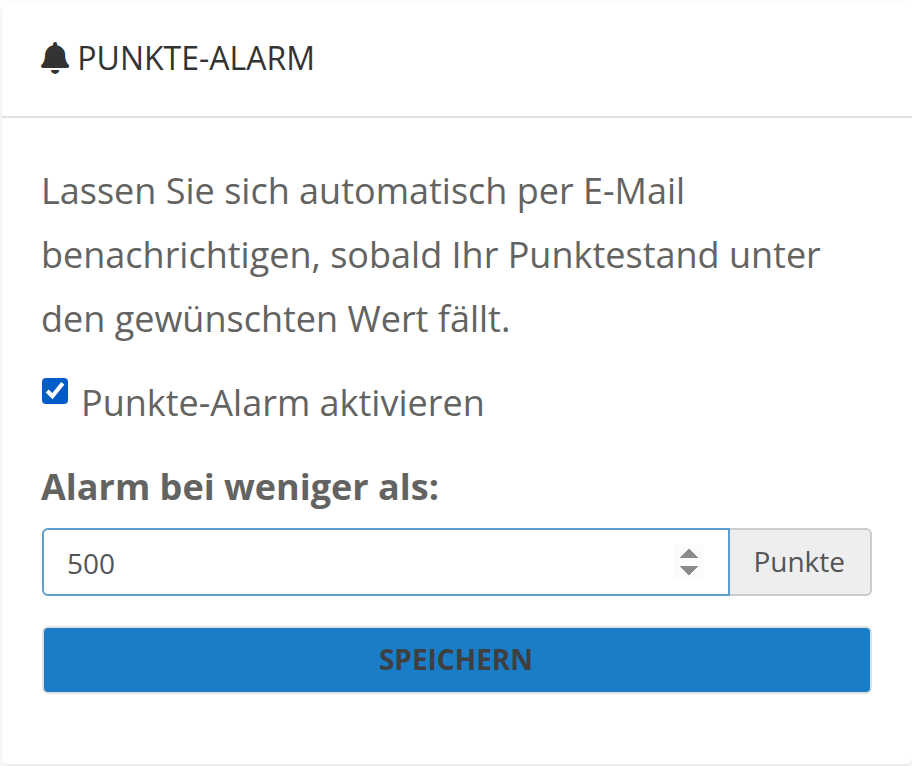
Tick the box, enter a value, save, done
Set up in one minute
Log in to the customer centre and open Invoices > Add Funds. Tick Enable points alert, enter your preferred value and click Save. Every notification sent is also available in the email history of your customer account.
You can find the step-by-step guide with pictures in our knowledge base: Set up a points alert