Change your password, adjust the spam filter and set up forwarding: these three mailbox settings are now available directly in OfficeMail, under email settings and accounts. A separate sign-in to your hosting control panel is no longer needed for this.
Change your passwordSet a new mail password, it applies immediately to webmail, IMAP, SMTP and all devices.
Adjust the spam filterSet the threshold, action, and your own blocklist and allowlist.
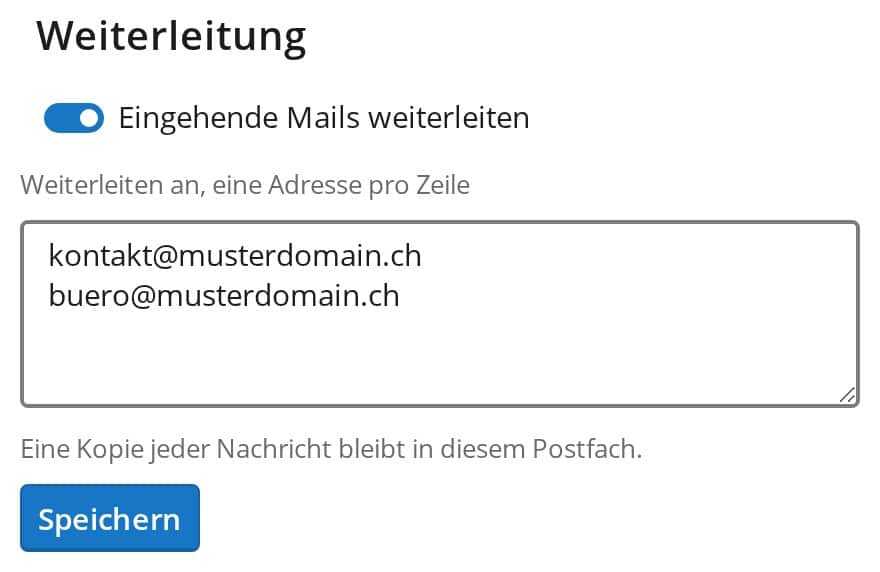
Set up forwardingForward incoming mail to one or more addresses, a copy stays in your mailbox.
Forwarding to several addresses
Forwarding is worth a closer look in particular: in the new account settings you enter as many target addresses as you like, one per line, just as before in your hosting control panel. Both paths control the same setting, so you can freely choose where you maintain your forwarding.
Forwarding to several addresses, set up directly in OfficeMail
When did this email arrive, have I already replied, and what was written before? In OfficeMail you now see it at a glance. Right below the subject of every open email you find the time it was received and the time of your reply, and one tap expands the whole conversation. We have also tidied […]
Mail in the webmail, the calendar on your phone, files in some cloud and Office only on the one computer it is installed on: that is what everyday life with a mailbox often looks like. From now on, every mailbox at FireStorm comes with OfficeMail: a complete online workplace in your browser with email, calendar, […]
I’m going on holiday: what do I have to do? Especially during the summer holidays and vacations, very few people want to be busy with work. Often this is possible without any problems, if you have not taken a lot of work home with you. However, e-mails still arrive regularly. Because while you may be […]