




New in the vServerPanel: change reverse DNS yourself
Anyone running a mail server on a vServer needs a matching reverse DNS record. Many mail servers check it before accepting an email. Until now you had to contact support for this. From now on you change the reverse DNS of your server yourself in the vServerPanel, at any time and within seconds.



How it works
Open your server in the vServerPanel. On the Overview tab, the Network card now also shows the IPv6 address and the current reverse DNS records. Use Change reverse DNS to enter the name you want, for example server.musterdomain.ch, and save. The feature is available to resellers and their customers alike.
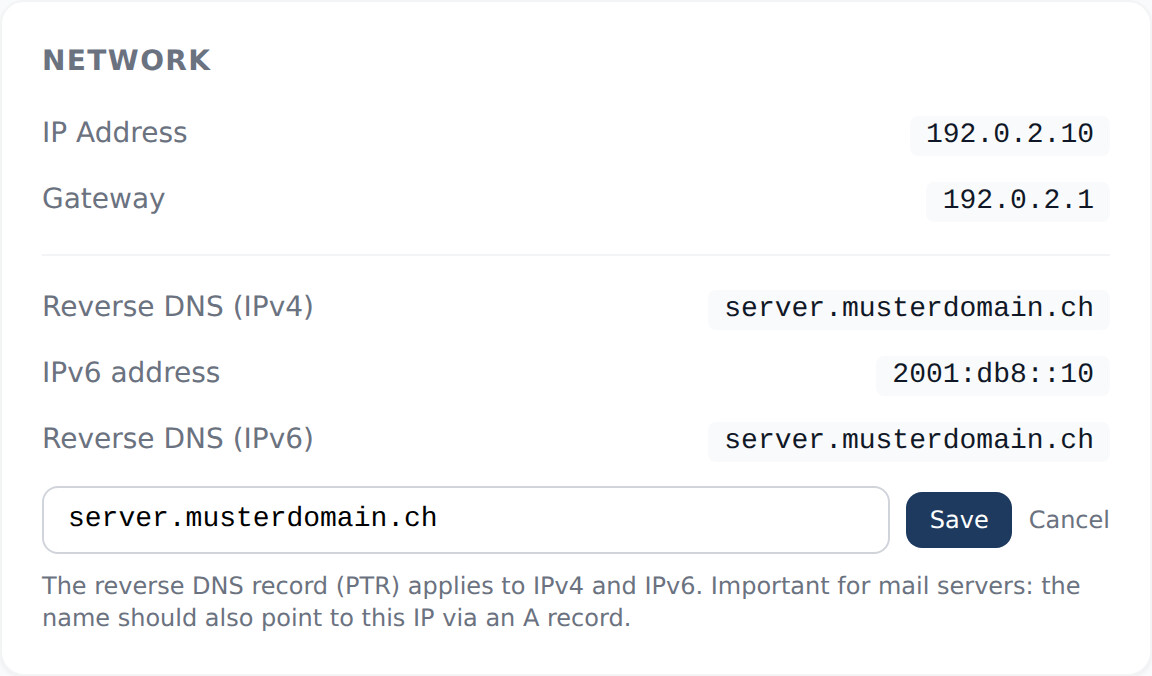 Reverse DNS for IPv4 and IPv6 in the Network card
Tip for mail servers: the name should also point to the same IP via an A or AAAA record. You will find step-by-step instructions in the KB article Change reverse DNS (PTR) for your server.