




New: Change Log for Your DNS Records
Who changed this DNS record, and when? As soon as several people, automations or our support team work on the same domain, there was previously no way to find out afterwards. From now on, your customer center keeps a complete change log for every domain: you will find the new Log menu item in the DNS record management area, right at the top.






How to read the log
Open the DNS management area in the customer center and click Log in the menu. Each line shows date, domain, source, action and the affected record, for changes the old value is displayed struck through above the new one. That way you can see at a glance, for example, since when an A record has been pointing to a different IP address and who initiated it.
 The new log in the customer center: every change with date, source and both old and new value
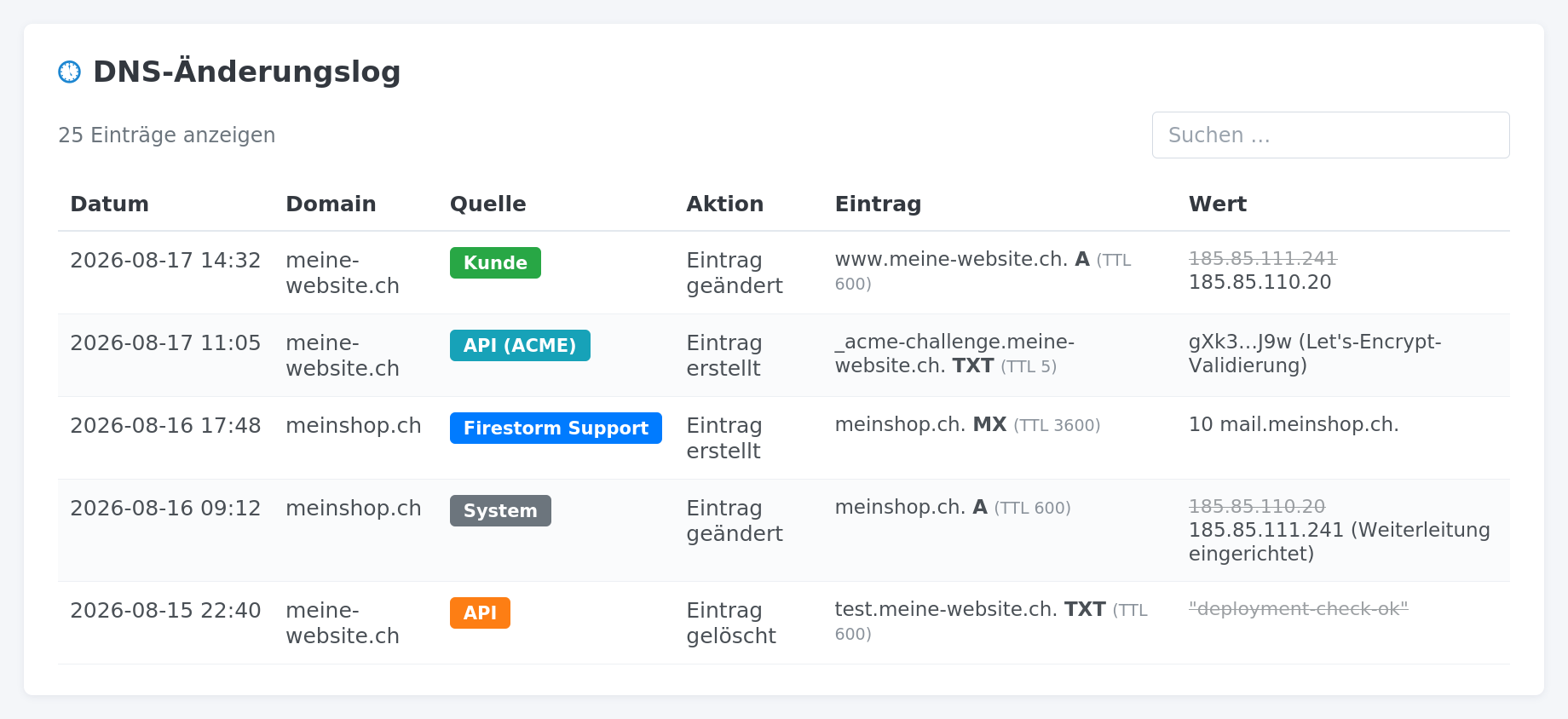 The new log in the customer center: every change with date, source and both old and new value
Who benefits
The log is particularly useful when several people access the same domains, for example in a team or an agency. It also helps with troubleshooting: instead of guessing why the website suddenly points somewhere else or e-mails no longer arrive, you immediately see what changed and when. And whenever our support team adjusts something for you, that is documented transparently as well.
Using our DNS API for your own automation? You can find more details in the DNS API knowledge base article.