



Plesk Server
Manage your root server conveniently through a web interface. Plesk Obsidian offers everything you need — websites, email, DNS, SSL, backups, and more.
Server management made easy
Plesk Obsidian Dashboard
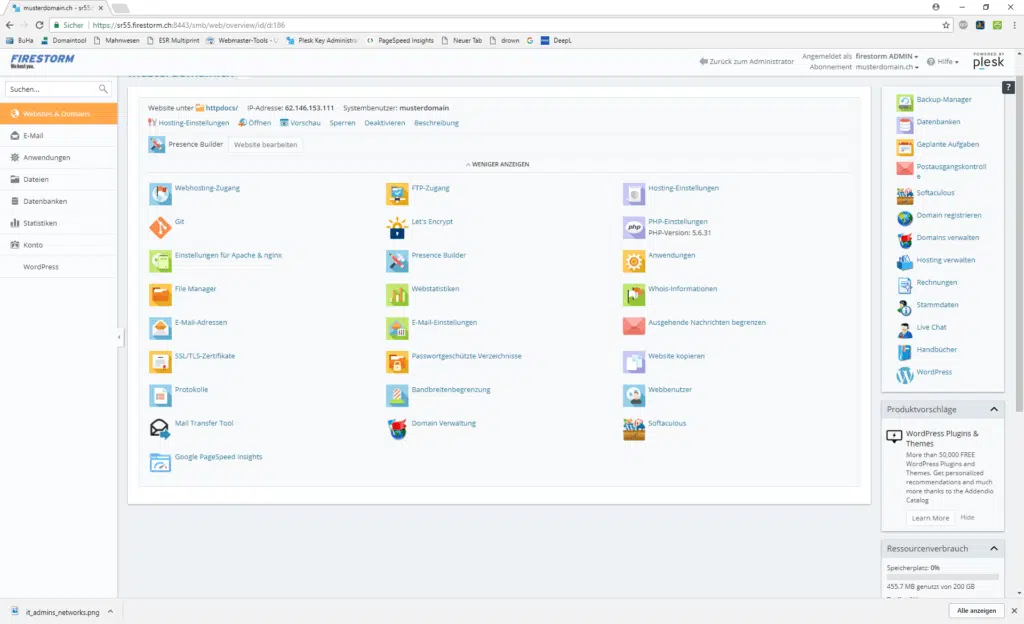
Everything at a glance
The Plesk Dashboard gives you a complete overview of your server. Manage websites, domains, email accounts, and databases — all through an intuitive web interface.
- Manage websites and domains
- Create and configure email accounts
- Choose PHP version per domain (5.6 – 8.5)
- Activate SSL certificates with one click
- Manage databases (MySQL & PostgreSQL)
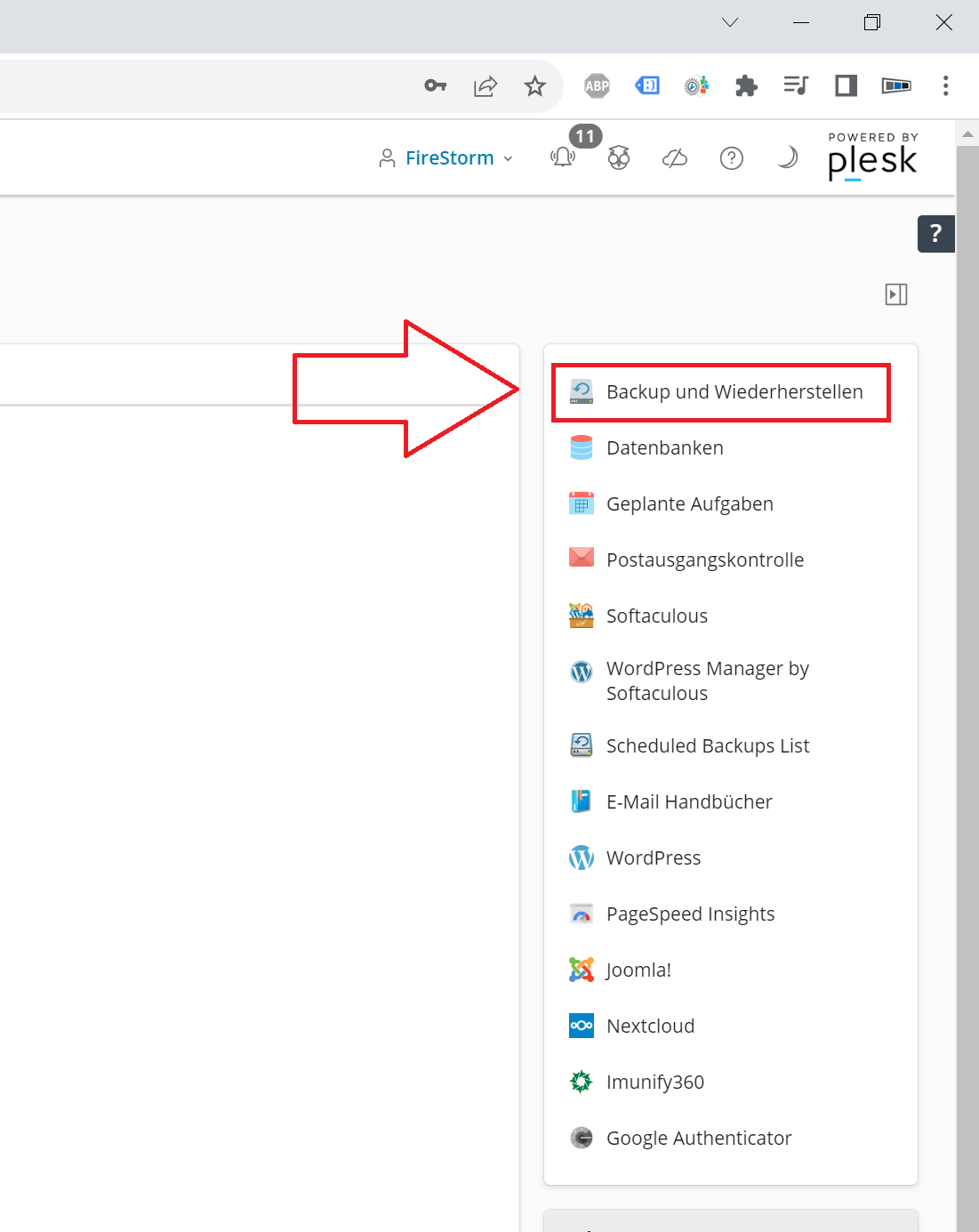
Plesk Backup Manager
Create scheduled backups of your websites, emails, and databases. Back up your data to external FTP servers and restore them when needed.
- Scheduled automatic backups
- Backup to external FTP server
- Individual websites or entire server
- One-click restoration
- Email notification upon completion

Website Builder
Create professional websites directly in Plesk — without any programming knowledge. The integrated drag-and-drop editor with over 200 templates makes it easy.
- 200+ professional templates
- Drag-and-drop editor
- AI text generation and translation
- Responsive design for all devices
- Online shop included
Everything Plesk offers
Features in detail
What Plesk Obsidian offers
Professional server management for root servers — without the command line.
WordPress Toolkit
Install WordPress with one click. Automatic updates for core, plugins, and themes. Staging for testing, security scanning, and multi-site management.
Email Management
Professional email hosting with webmail (SOGo & Roundcube), SPAM-Filter, virus scanner, ActiveSync for smartphones, and encrypted delivery.
SSL Certificates
Activate free Let's Encrypt SSL certificates with one click. Automatic renewal. Custom premium certificates can also be installed.
Backup Manager
Scheduled backups of websites, emails, and databases. Storage on external FTP servers. Restore individual sites or the entire server.
PHP per Domain
Freely choose the PHP version per domain (5.6 to 8.5). Customize PHP settings such as memory_limit, max_execution_time, and upload_max_filesize individually.
Security
ModSecurity Web Application Firewall, Fail2Ban against brute-force attacks, and the Plesk Advisor regularly checks your server for security issues.
DNS Management
Manage DNS zones conveniently. Edit A, AAAA, CNAME, MX, TXT, SRV, and other records directly through the interface. DNSSEC support.
Statistics & Logs
Detailed web statistics, bandwidth overview, and real-time log analysis. Quickly identify errors and keep track of traffic.
Reseller Management
Manage customers and subscriptions. Custom branding (whitelabel), individual packages, and resource limits per customer.
Order a root server with Plesk
Choose your root server and add Plesk as an option.
View root server packages Request a consultationFrequently Asked Questions
FAQ — Plesk Server
Plesk Obsidian is a professional server management panel. It allows you to manage websites, email, databases, DNS, SSL certificates, and backups conveniently through a web interface — without the command line.
Plesk is available as an optional add-on for an additional fee. Without Plesk, you manage your server entirely via SSH and the command line.
The WordPress Toolkit is integrated into Plesk and offers 1-click installation, automatic updates for core, plugins, and themes, staging environments for testing, and security scans.
Yes, with Plesk you can activate free Let's Encrypt SSL certificates with one click for any domain and have them renewed automatically.
Plesk offers complete email management: webmail (SOGo & Roundcube), SPAM-Filter, virus scanner, ActiveSync for mobile devices, IMAP/POP3, email forwarding, and alias addresses.
Yes, with Plesk you can freely choose the PHP version per domain — from PHP 5.6 to 8.5. PHP settings such as memory_limit or max_execution_time can be customized per domain.
Help & Guides
Knowledge Base
Why Plesk for your root server?
A root server offers maximum control — but not everyone wants to manage their server exclusively via the command line. Plesk Obsidian bridges this gap: It combines the power of a root server with the convenience of a professional management interface. Create websites, set up email accounts, activate SSL certificates, schedule backups — all with just a few clicks.
Perfect for agencies and resellers
Plesk is especially well suited for agencies and resellers who manage multiple customers on a single server. With the integrated reseller management, you define individual packages, resource limits, and branding per customer. Your customers receive their own login and can manage their websites independently — while you maintain an overview of the entire server.
Manage WordPress professionally
The WordPress Toolkit in Plesk makes managing multiple WordPress installations a breeze. Install WordPress with one click, enable automatic updates for core, plugins, and themes, create staging environments for safe testing, and scan for security issues. Everything centrally from one dashboard — whether you run one or a hundred WordPress sites.